Web Apps / IT Assistant
Remote monitoring & management

Every PC in your business, watched and fixable from anywhere.

A small agent runs quietly on each Windows PC. IT Assistant shows you live health, full inventory and security status, alerts you before users notice problems, and lets you fix things remotely: no site visit needed.
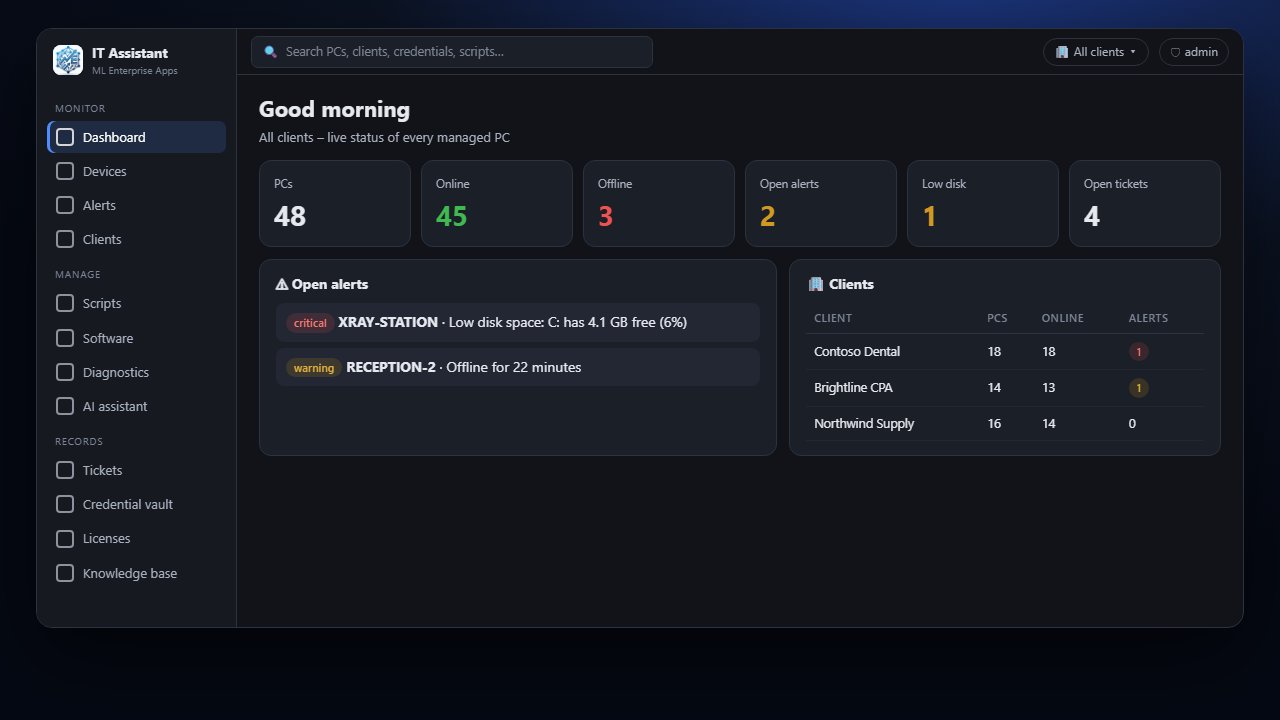
IT Assistant dashboard
Product demo

See IT Assistant in action

Narrated walkthrough with sample companies. Turn your sound on, or jump to any chapter.

Install in a minute

Download, click Install, done.

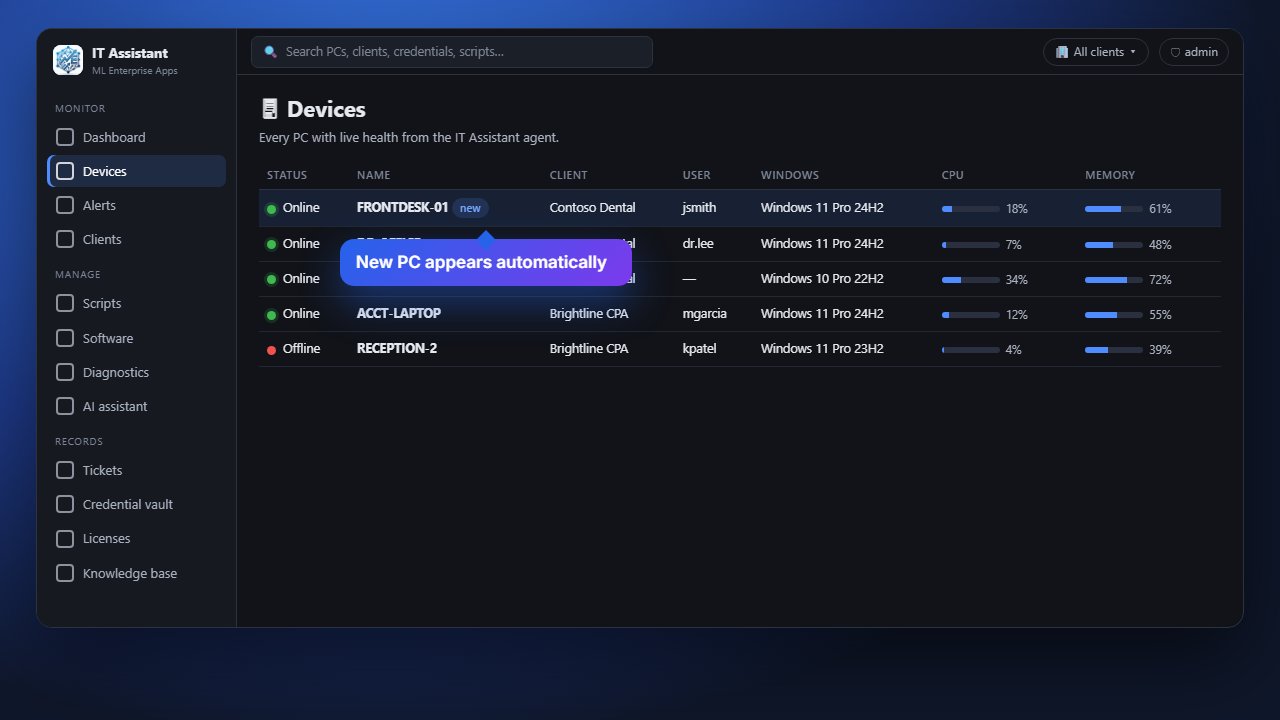
Send your team a link or push the installer silently to every PC. The agent runs as a Windows service, shows in Programs & Features, and the PC appears in your inventory within a minute.

  • One installer per company – PCs land in the right place automatically
  • Silent install switches for RMM, Group Policy or Intune
  • Updates itself from the dashboard
Installing the IT Assistant agent
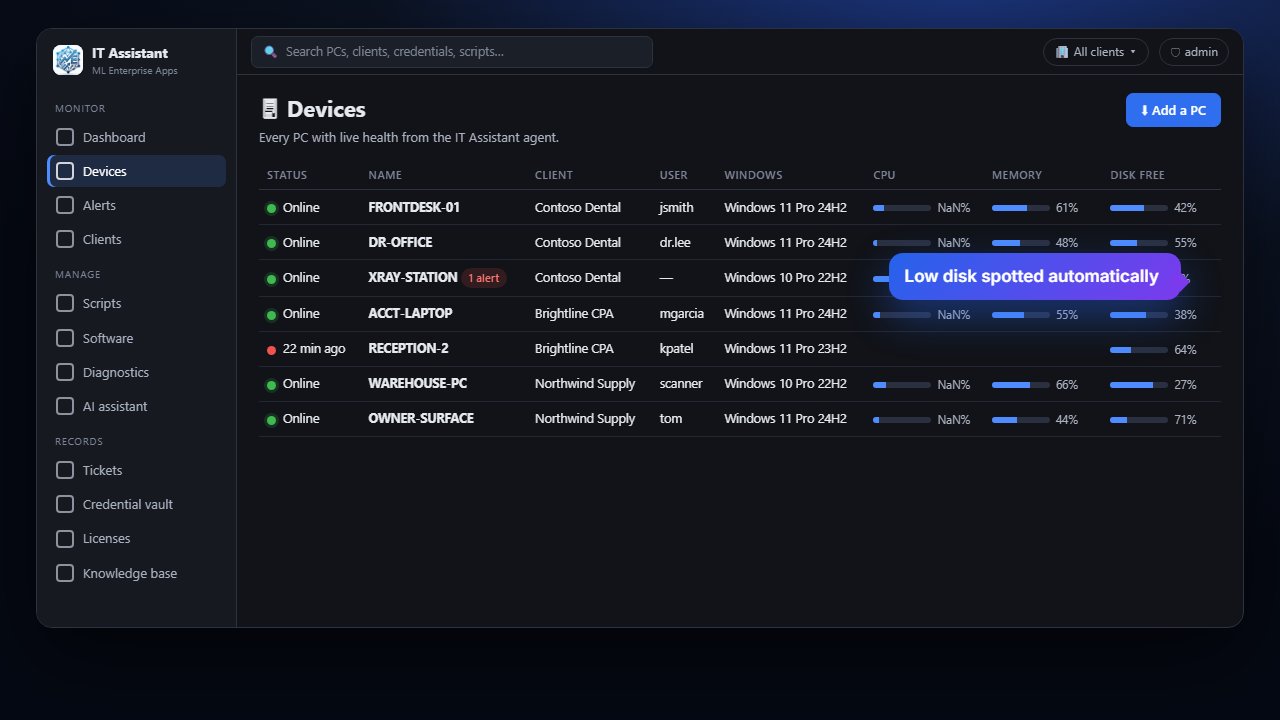
Live inventory

Health of every PC, every minute.

CPU, memory, disk space, who is signed in and how long since the last restart – plus a full hardware, software and Windows update inventory refreshed automatically.

  • Search every program on every PC in seconds
  • Serial numbers, models, BIOS, TPM and disks for asset tracking
  • Charts of CPU, memory and disk use over 30 days
Device inventory with live health
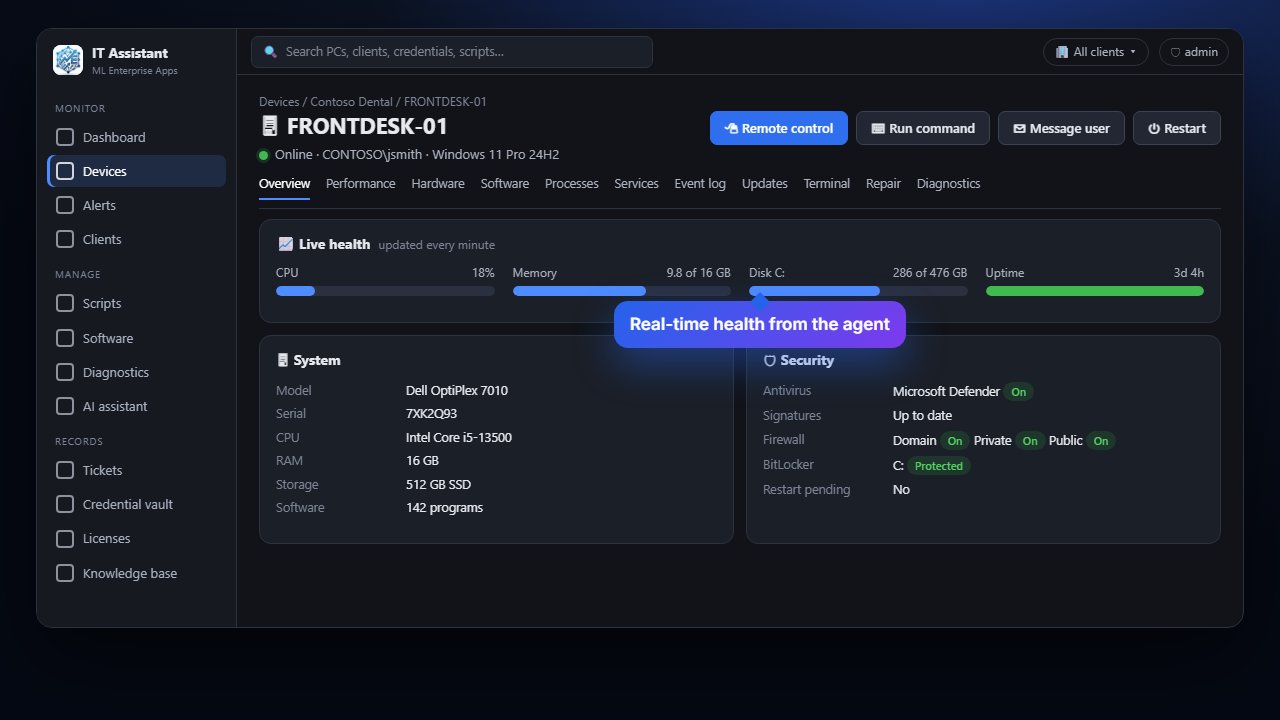
Security at a glance

Know which PCs are protected.

Antivirus and Microsoft Defender status, firewall profiles, BitLocker encryption, pending restarts and local administrators – on every PC, without asking anyone to check.

  • Alert when antivirus protection is turned off
  • Spot unencrypted laptops instantly
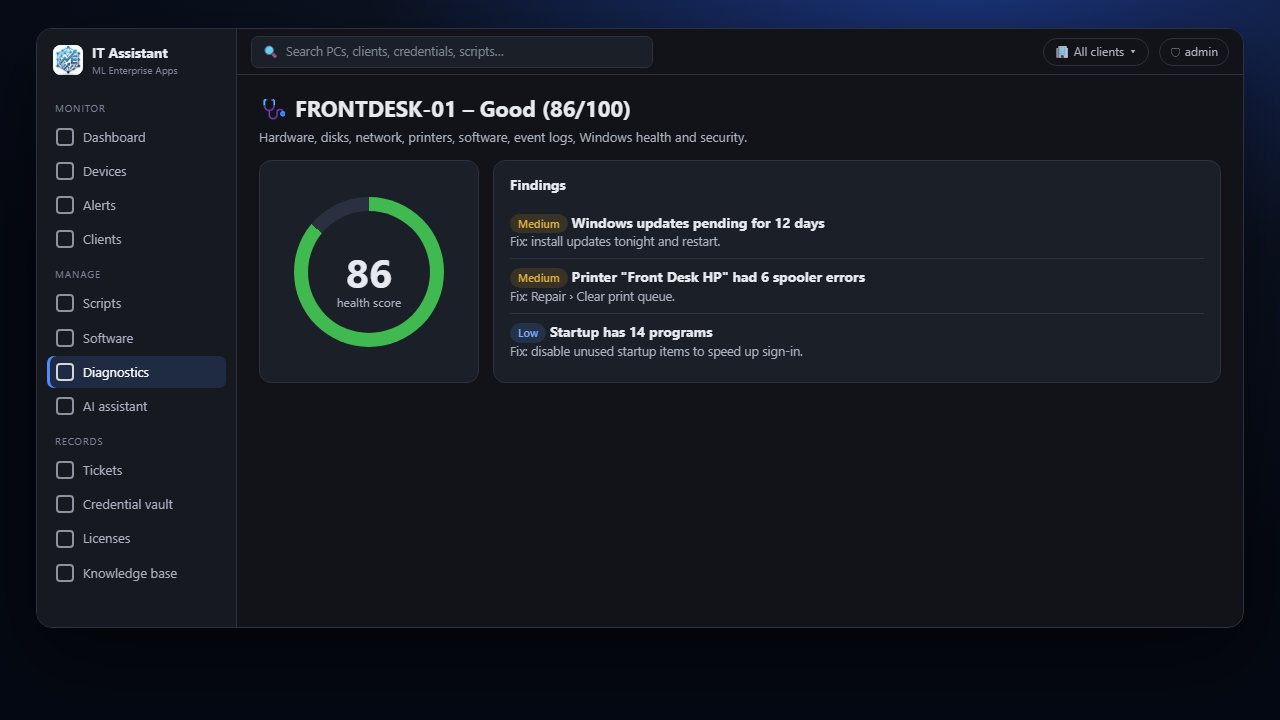
  • Complete diagnostic with a health score and fixes
PC detail with live health and security
Fix it remotely

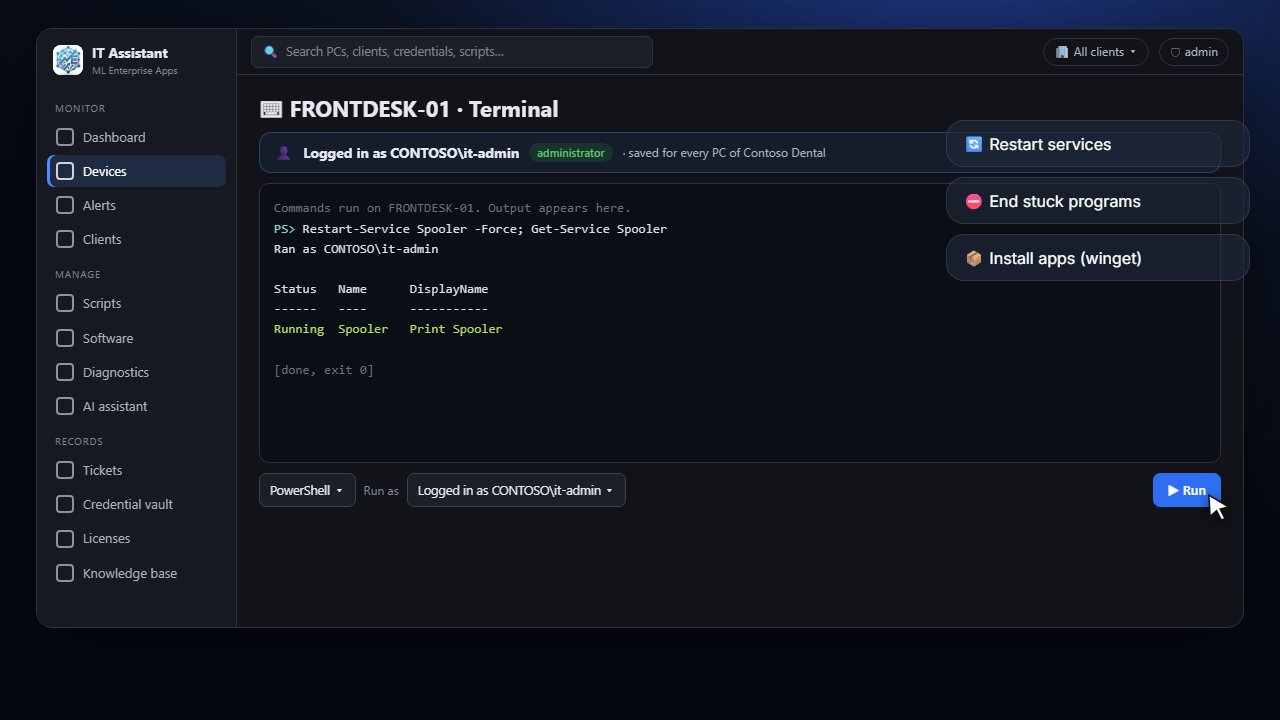
A terminal on every PC.

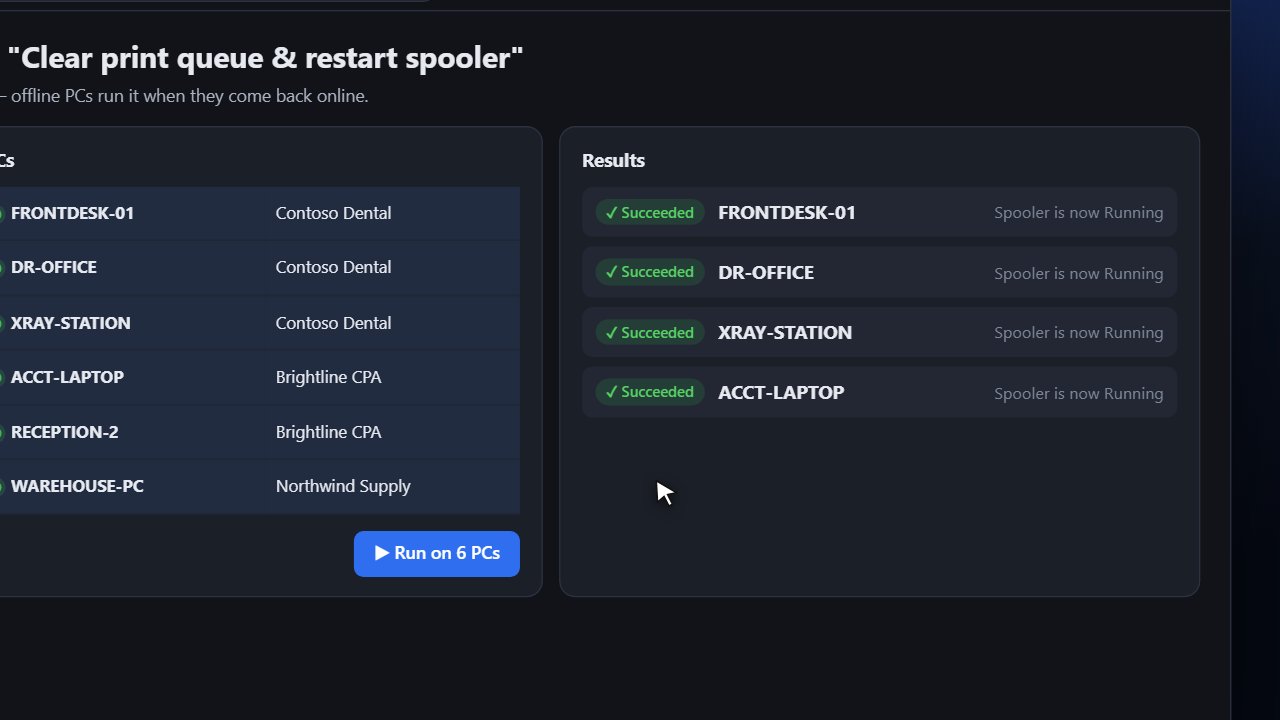
Run PowerShell or command prompt as the system, the signed-in user, or any local or domain administrator. Restart services, end stuck programs, install apps and push Windows updates.

  • "Log in as" any admin account – saved encrypted, per technician
  • Built-in repairs: SFC, DISM, DNS, print spooler, Windows Update reset
  • Every command is recorded in the audit log
Remote terminal running as an administrator
Remote control

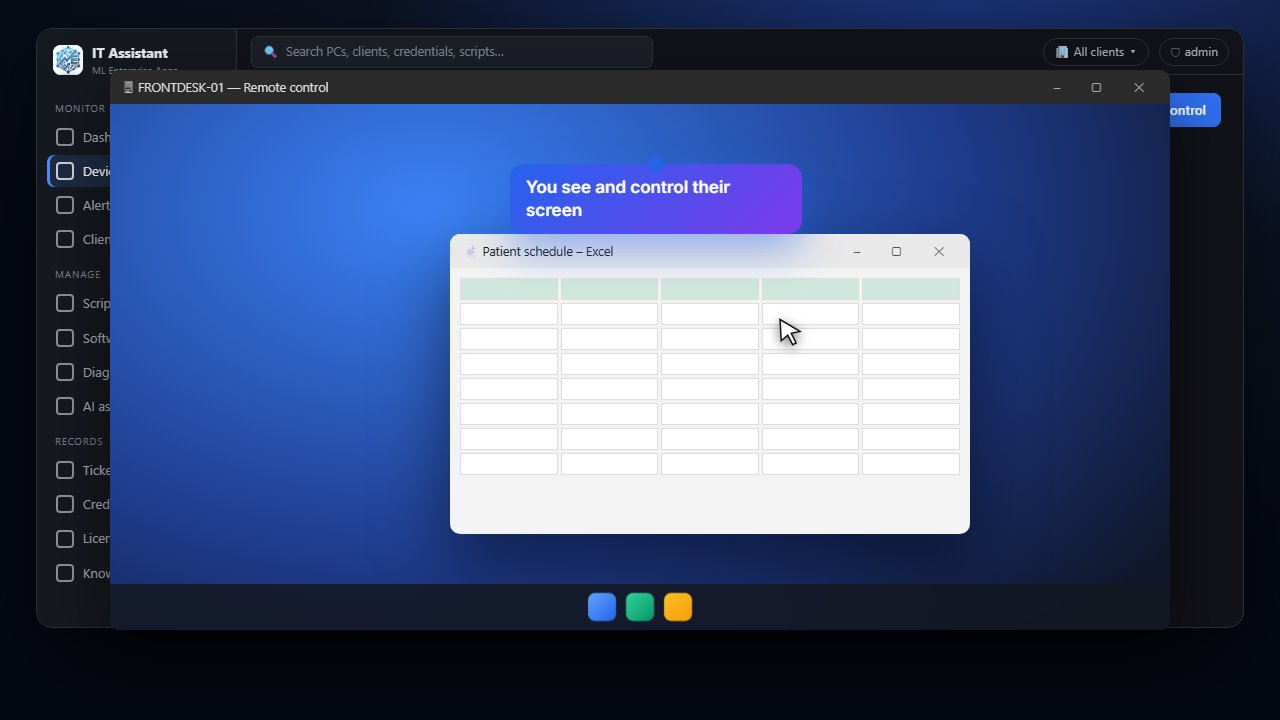
See their screen in seconds.

One click sets up remote control in the background and connects you to the PC's desktop. The person at the PC can see when you're connected, and every session is logged.

  • Installs silently – nothing for the user to do
  • Unattended access with a strong password only IT Assistant knows
  • Works on any network, no VPN or port forwarding
Remote control session
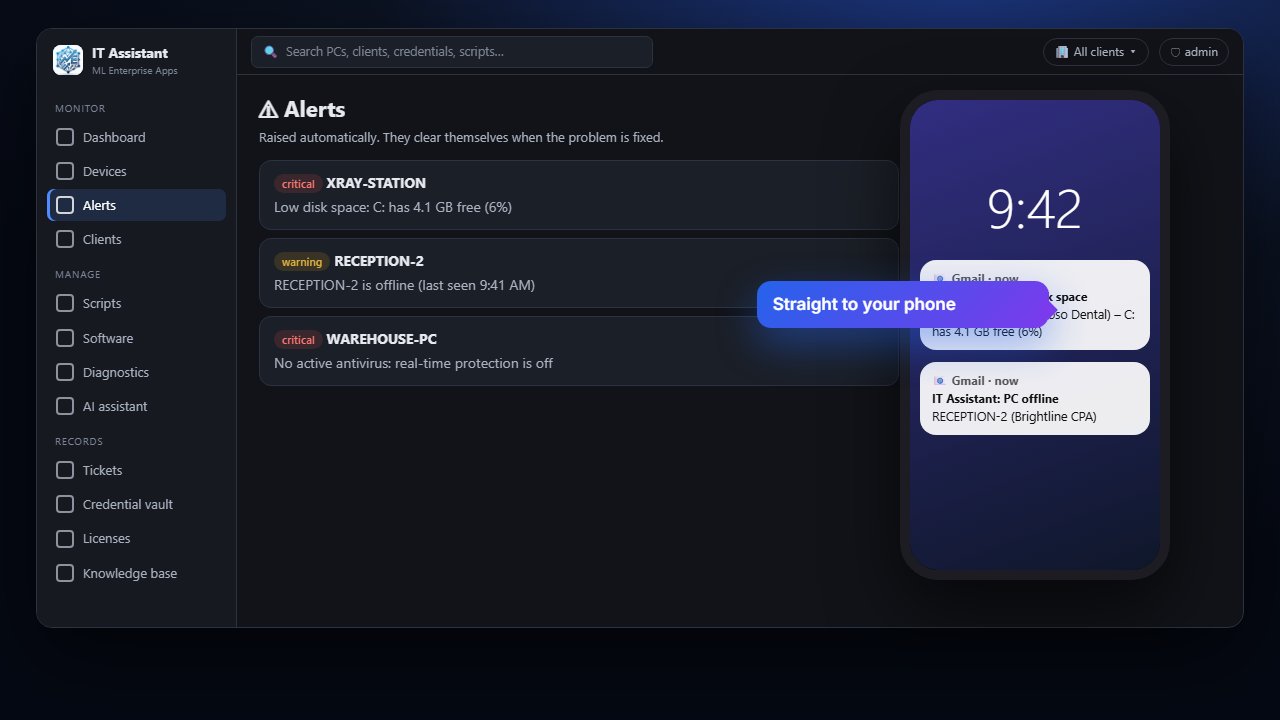
Alerts

Problems found before anyone calls.

IT Assistant watches around the clock and emails you when a PC goes offline, runs low on disk space or loses antivirus protection. Alerts clear themselves when the problem is fixed.

  • Thresholds you choose (minutes offline, % or GB free)
  • Email to you and anyone else on your team
  • Every PC, every client, one alert list
Alerts and email notifications
Screenshots

More of IT Assistant

Click any screenshot to enlarge it.

Pricing

Simple monthly subscription

Priced per company. We'll quote based on the number of PCs and people who need access.

SubscriptionMonthly plan

Full IT Assistant for your company, including your first login – the company admin.

Your teamAdd logins anytime

Your admin adds technicians or read-only viewers. Each extra login is a small monthly fee.

SetupWe do it for you

We install the agents, set up alerts and train your team. Billed by card or invoice.

FAQ

IT Assistant questions

Which computers does it support?

Windows 10 and Windows 11 PCs and Windows Server. The agent is a small Windows service; no other software is needed.

Will it slow our PCs down?

No. The agent sends a tiny health report once a minute and only runs heavier work, like an inventory or diagnostic, when it is needed.

Can the people at the PC see it?

Yes. It appears in Programs & Features and Services and can be removed by an administrator. When we connect with remote control, a window shows on their screen.

Is it secure?

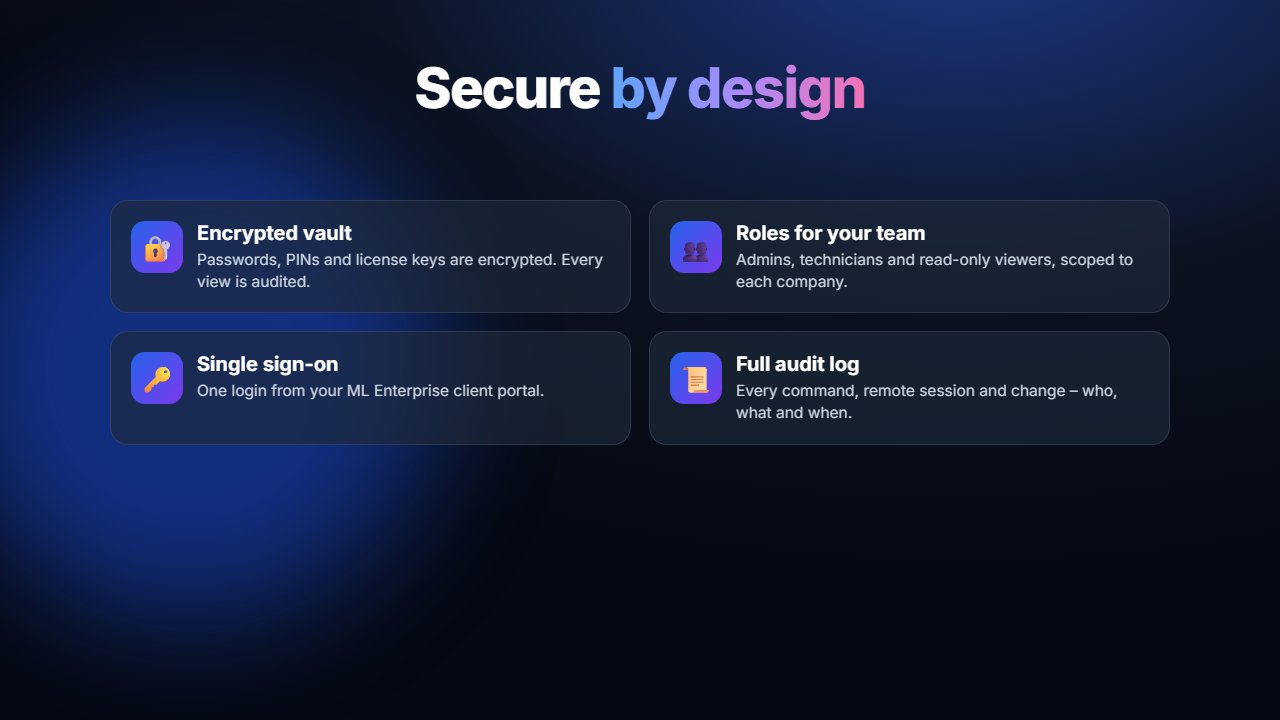
All traffic is encrypted, each PC has its own secret key, passwords are stored encrypted, team members only see their own company, and every action is written to an audit log.

Can our own IT person use it?

Yes. Your company admin can add technician logins for your team, or read-only logins for managers.

Ready to see every PC from one screen?

We'll set up IT Assistant for your business and install the agents for you.

Get started