Web Apps / ML Helpdesk
Help desk ticketing

Every support request tracked, every client kept informed.

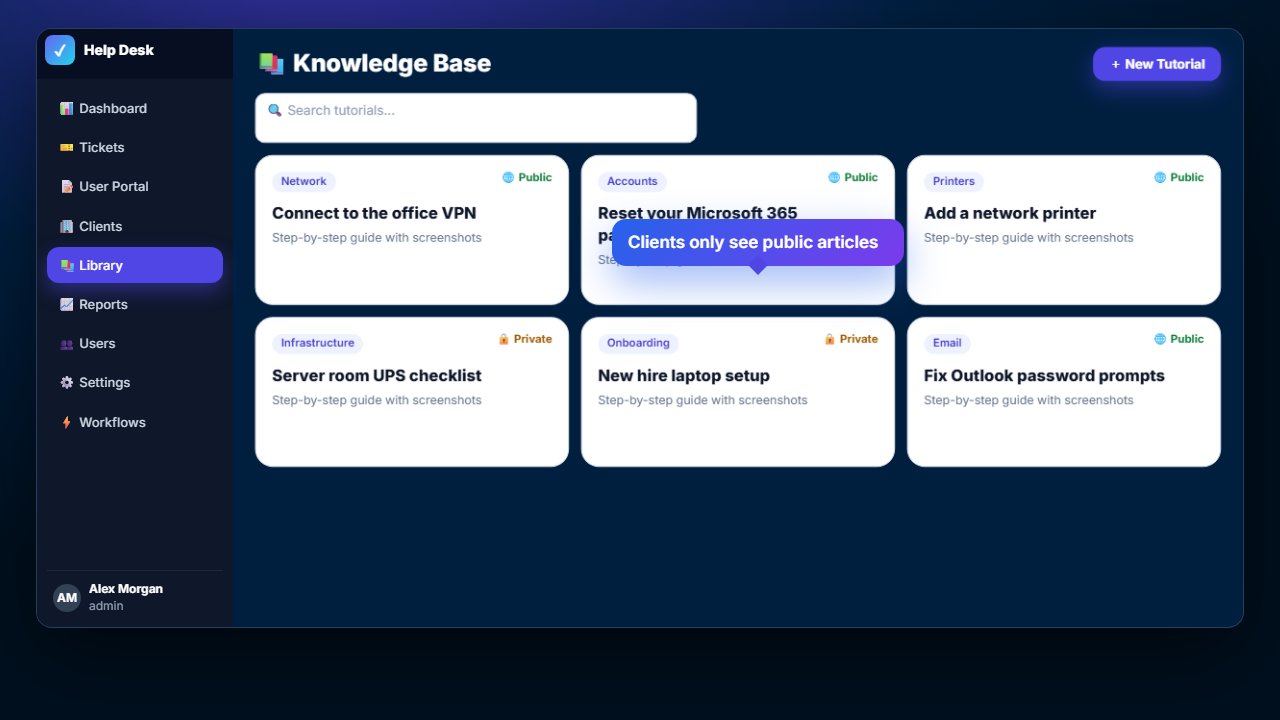
ML Helpdesk gives your support team one place for every ticket: time tracking, internal notes, photos, automatic email updates, a knowledge base, reports – and a portal where clients follow their own requests.
ML Helpdesk dashboard
Product demo

See ML Helpdesk in action

Narrated walkthrough with sample data. Turn your sound on, or jump to any chapter.

Dashboard

Your workload at a glance.

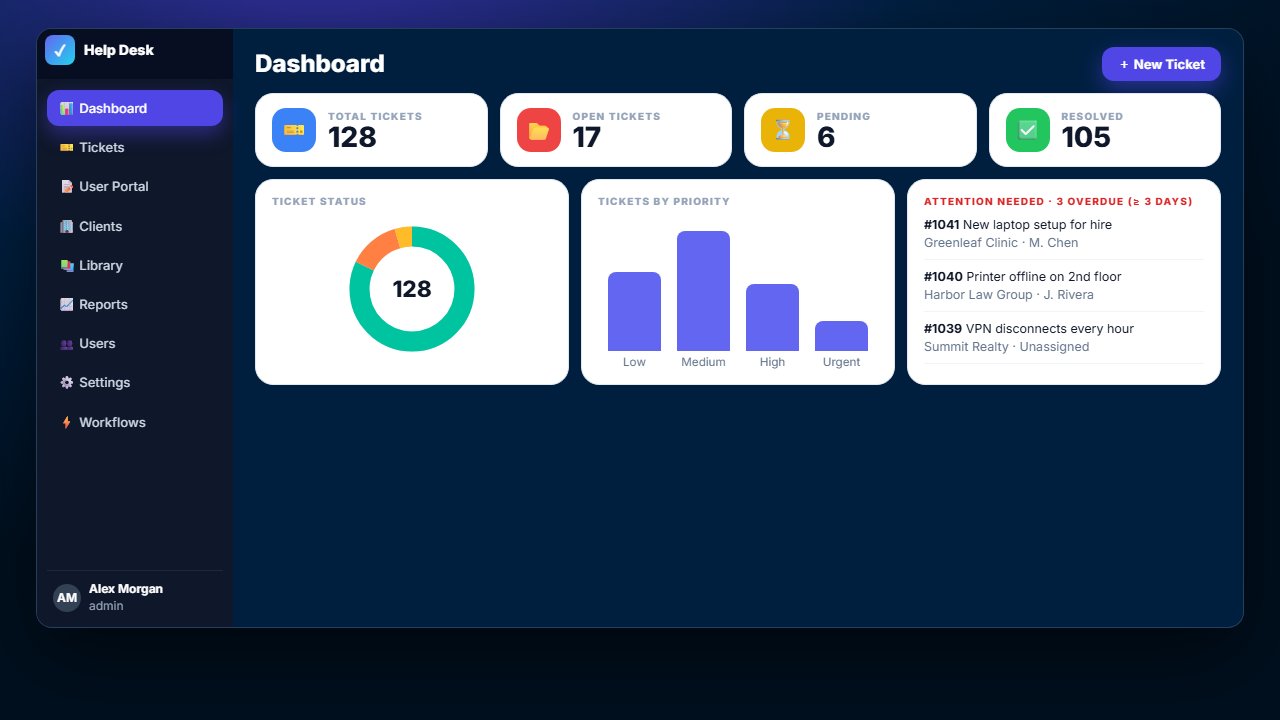
Open, pending and resolved tickets, charts by status and priority, your own open tickets, and an Attention Needed list for anything waiting longer than you allow.

  • Click any number to jump to those tickets
  • Agent performance with average resolution time and ratings
  • Overdue threshold you set in Settings
Dashboard
New tickets

Logged in seconds.

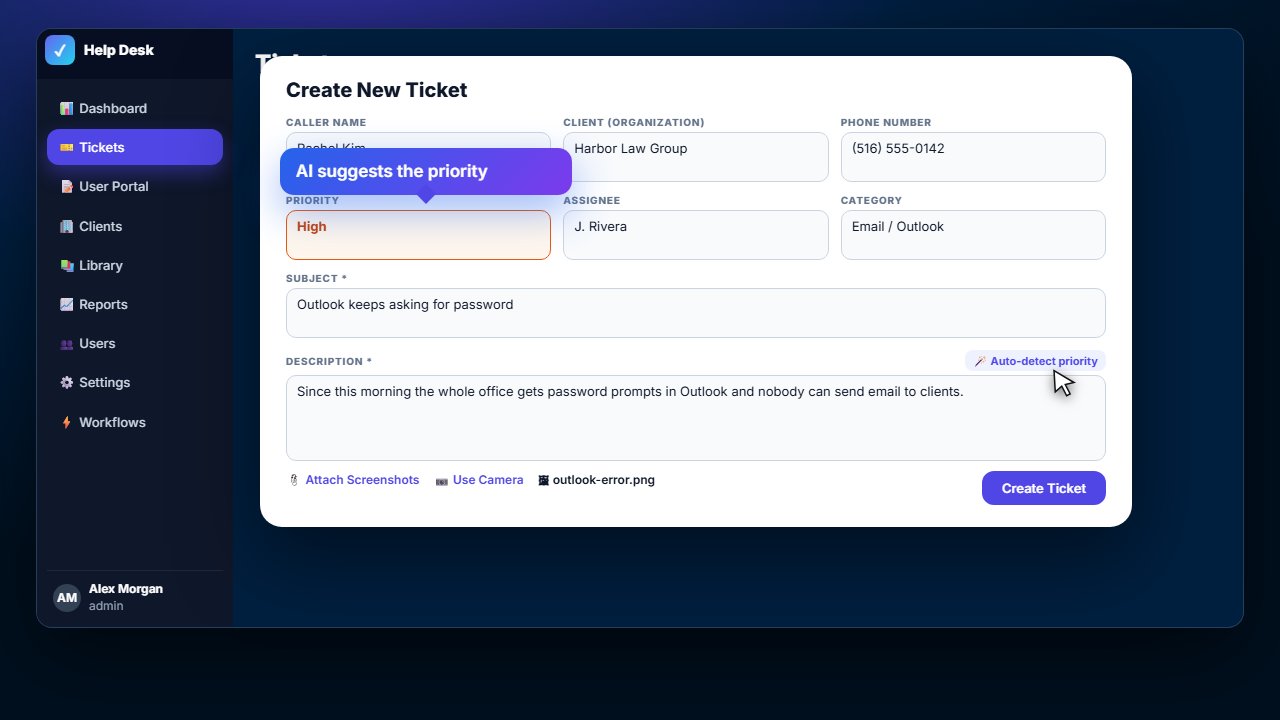
Caller and company details fill in from your address book. Paste screenshots or snap a photo with your phone, and one click suggests the right priority from the description.

  • Categories, tags, assignee, remote or on-site
  • Remote access details kept with the ticket
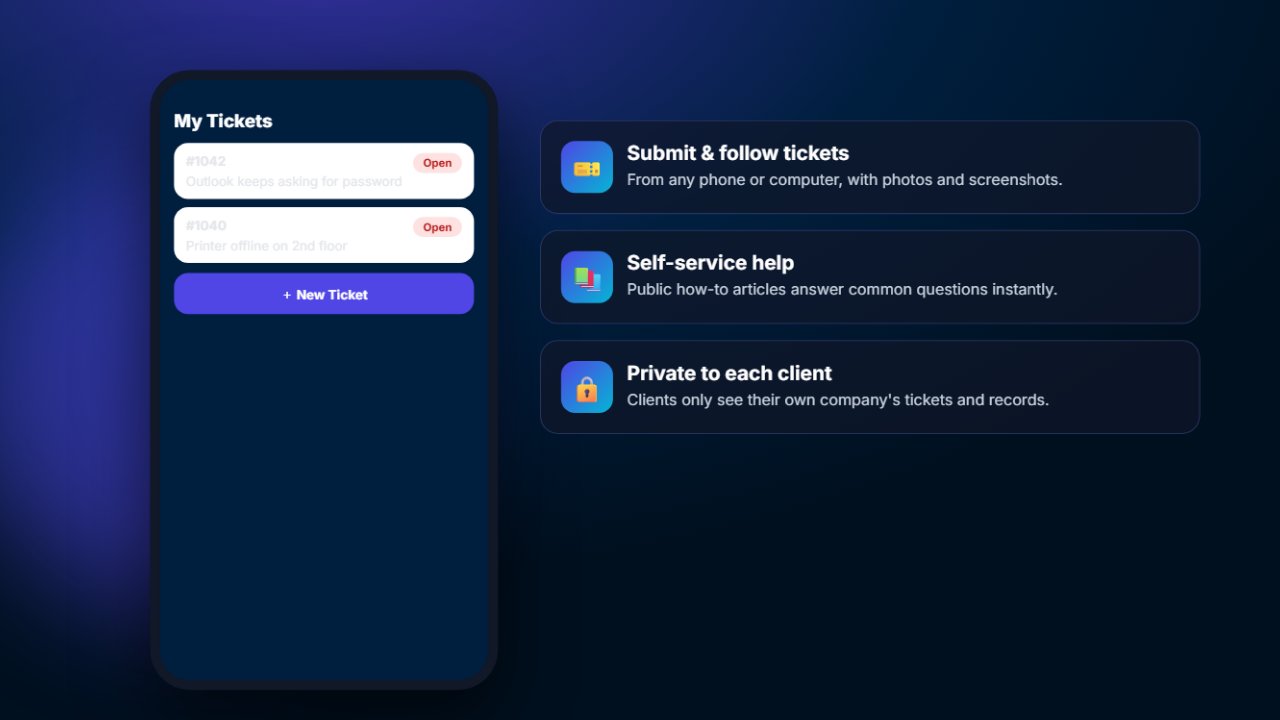
  • Clients can open tickets themselves in the portal
Create a new ticket
Ticket list

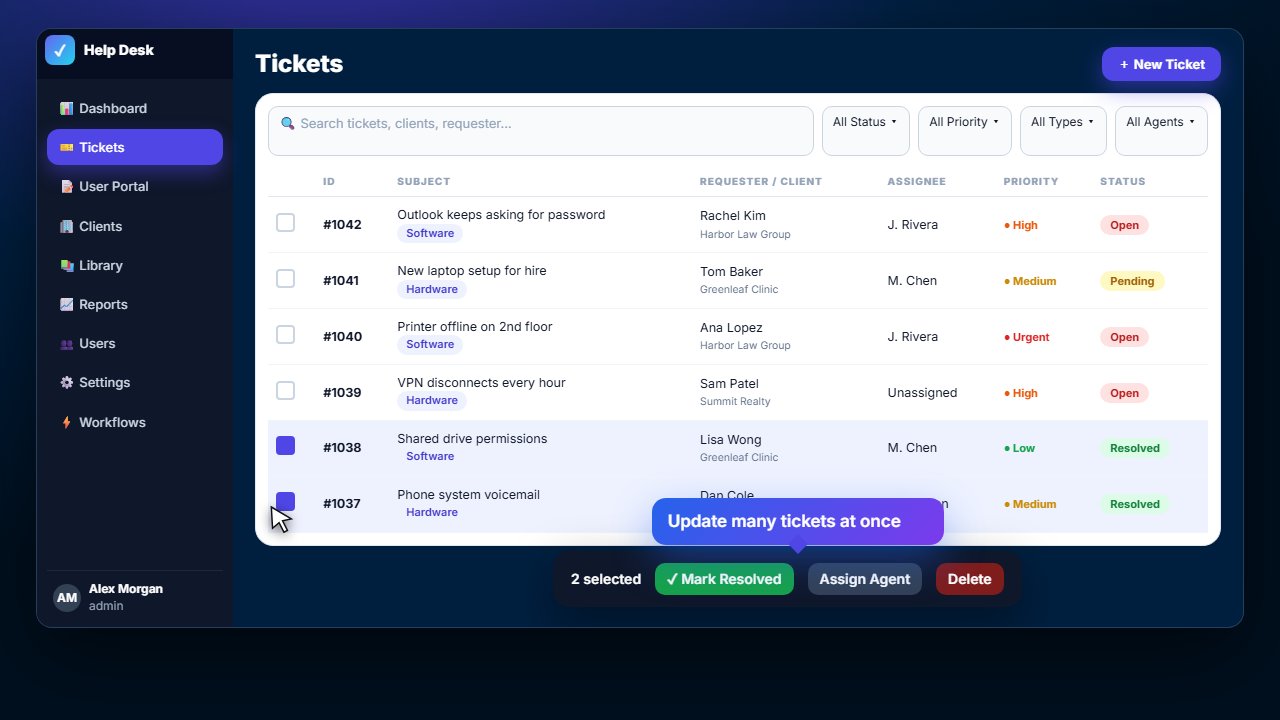
Find anything, update many at once.

Search across tickets, clients and requesters. Filter by status, priority, type or technician, preview any ticket by hovering over it, and close or reassign a batch in one step.

  • Statuses Open, Pending, Resolved and Closed
  • Priorities Low, Medium, High and Urgent
  • Latest comments right in the list
Ticket list with bulk actions
Working a ticket

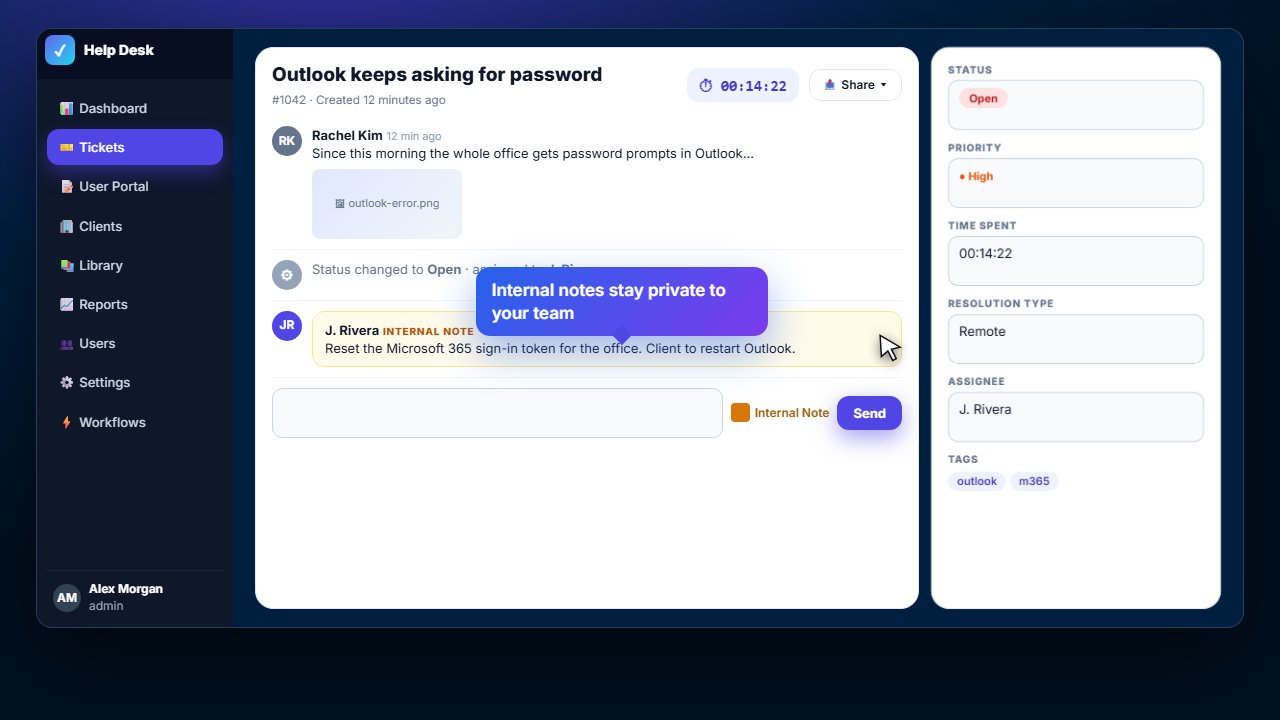
The full story in one place.

A built-in timer tracks your time. Internal notes stay private to your team, photos and screenshots attach to the conversation, and a clean ticket summary goes out by email or PDF.

  • Every status, priority and assignee change recorded
  • On-site arrival and departure times
  • Share: copy, save as PDF or send by email
Ticket detail with timer and internal notes
Workflows

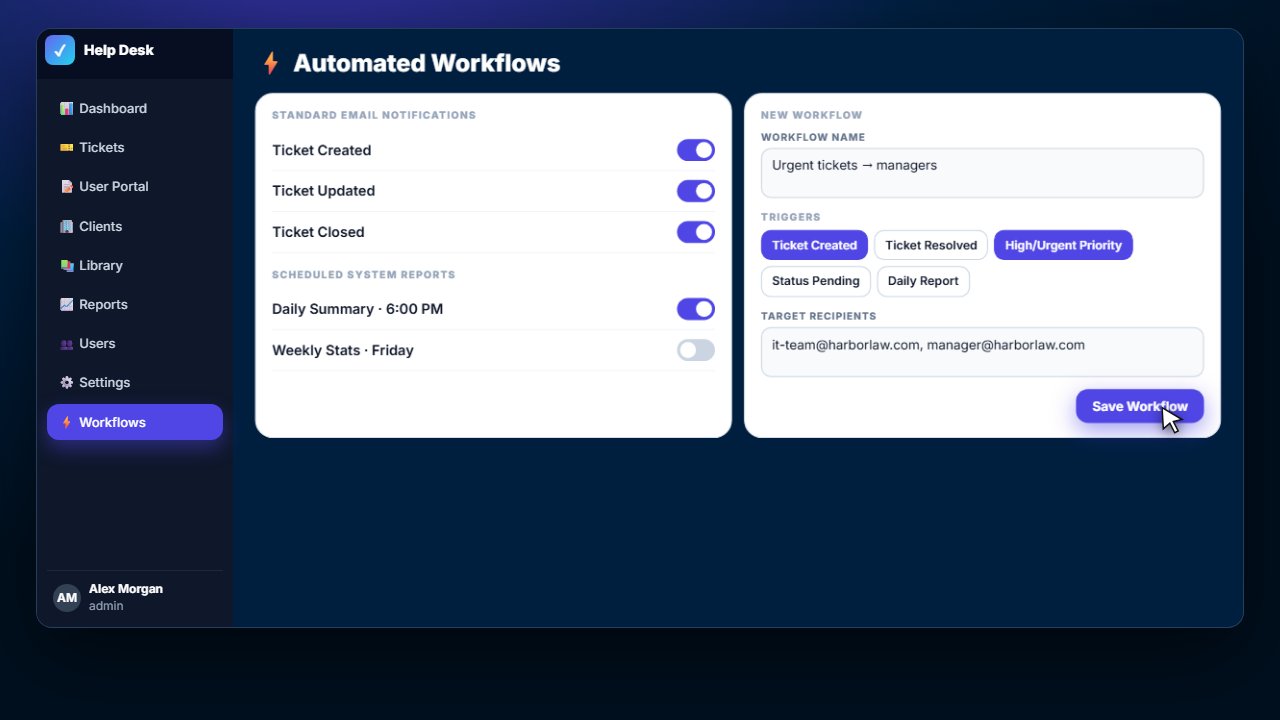
Everyone informed, automatically.

Choose triggers – new ticket, urgent priority, status pending, resolved, closed – and who should be emailed. Daily summaries and weekly stats go out on schedule.

  • Email notifications for created, updated and closed tickets
  • Custom workflows with several triggers each
  • Scheduled daily and weekly reports
Automated workflows
Reports

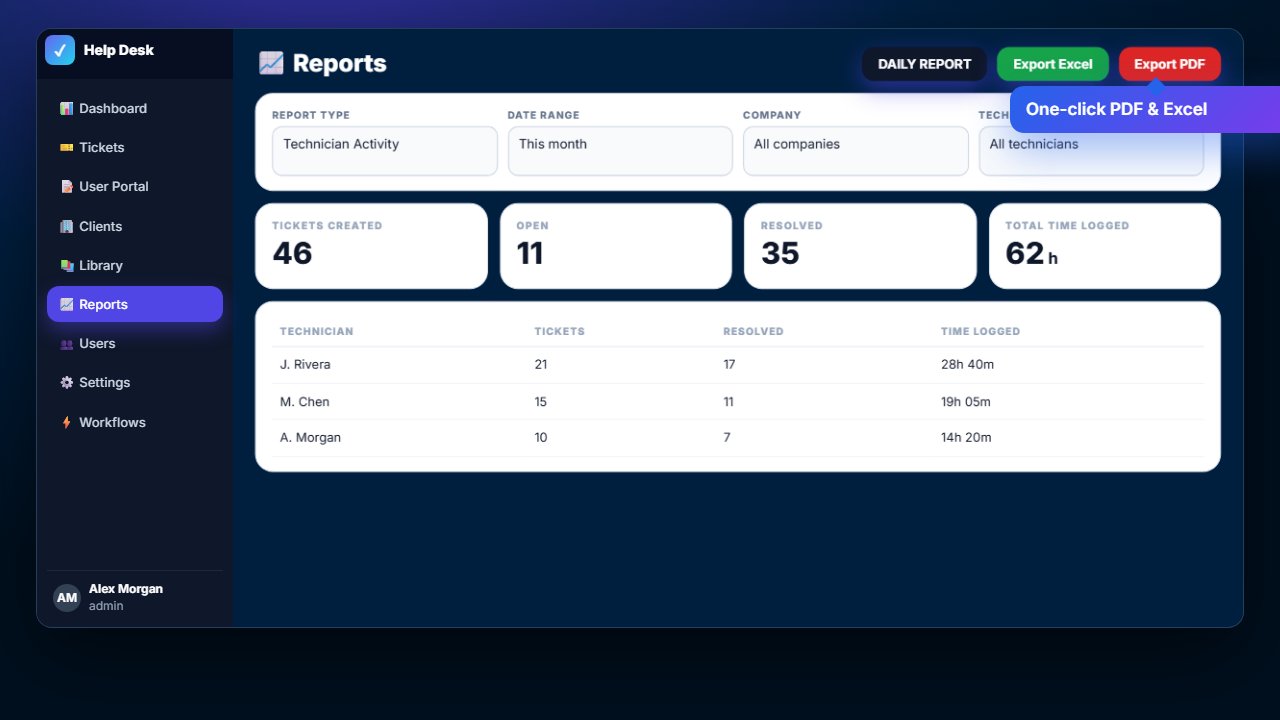
See where the time goes.

Tickets created, open and resolved, and time logged – by technician, company or tag, for any date range. Export to Excel or PDF, or email the daily report in one click.

  • Technician, company and tag analysis
  • Excel and PDF export
  • Daily report with preview before sending
Reports
Screenshots

More of ML Helpdesk

Click any screenshot to enlarge it.

Pricing

Simple monthly subscription

Priced per company, with logins for your whole support team.

SubscriptionMonthly plan

Your own help desk with your logo and name, including your first login – the company admin.

Your teamAdd agents anytime

Each additional admin or agent login is a small monthly fee. Clients who only submit tickets are free.

SetupWe do it for you

We import your clients, set up email notifications and workflows, and train your team.

FAQ

ML Helpdesk questions

Can our clients submit their own tickets?

Yes. Clients get logins to the client portal where they open tickets, add photos and follow progress. They only ever see their own company's tickets.

Does it send emails from our own address?

Yes. Notifications and reports are sent from your own email account (for example Microsoft 365 or Gmail), so replies come straight back to you.

Can we use our own logo and name?

Yes – the system name, logo and contact details are set in Settings › Branding.

Can we bring our existing tickets and clients?

Usually, yes. We import clients and contacts, and can move tickets from most systems as part of setup.

Who counts as a paid login?

Your staff – admins and agents. Clients who only submit and follow tickets are not charged.

Give your support team a real help desk.

We'll set up ML Helpdesk with your branding and train your team.

Get started